



Excel に付属する Visual Basic Editer
2日目
三択ゲームを作る
簡単なプログラムを作れるように解説します
ここではミニプログラムの作成過程を体験してください。
セルに問題文を入れる 使用
A B C D E F
cells(1,1)...A
cells(1,6)...F
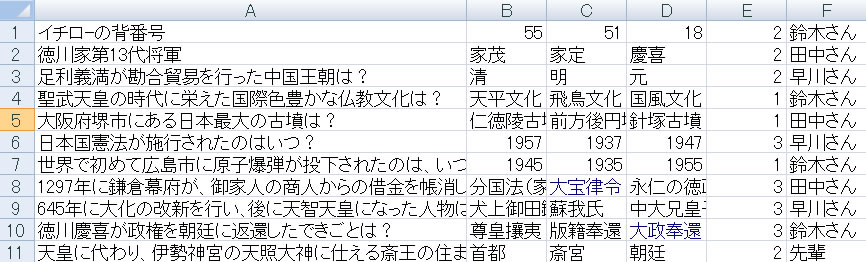
100問作りました
フォームを作ります
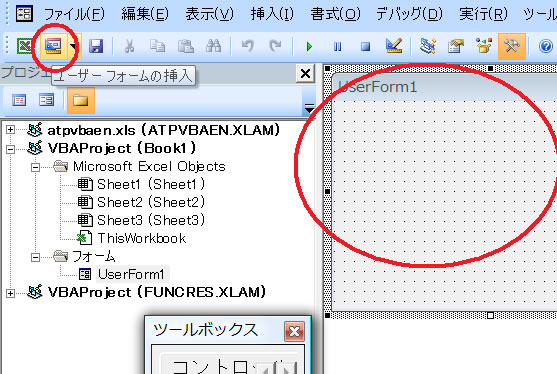
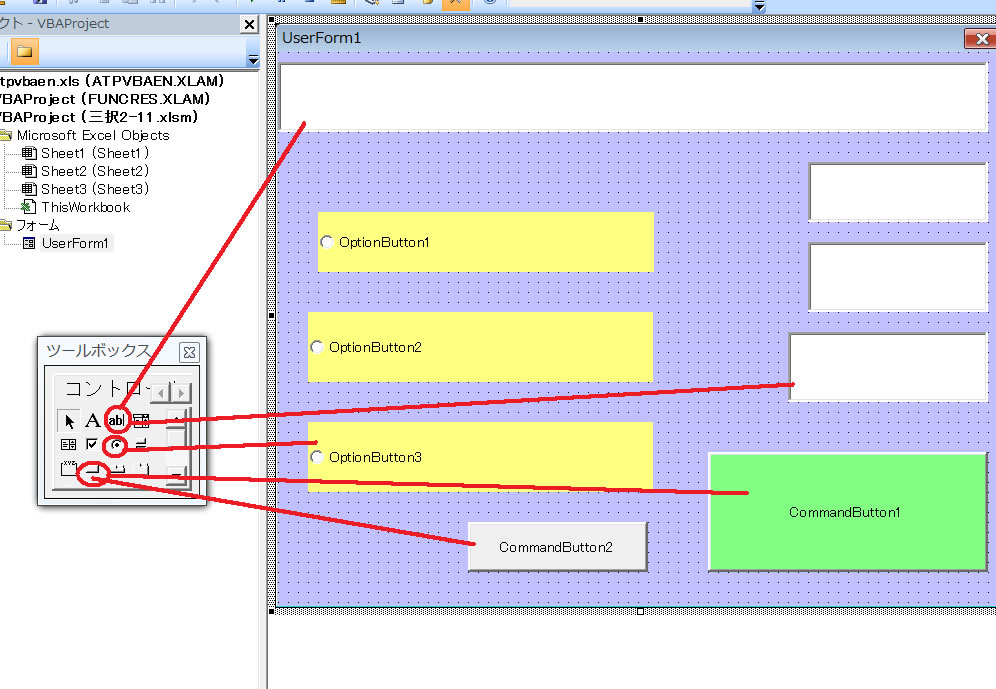
フォームとコマンドボタン 1 と 2 をクリックしてから
Dim x, y, z, w, flag
Private Sub CommandButton1_Click()
If flag = 0 Then
If OptionButton1 = True Then y = 1
If OptionButton2 = True Then y = 2
If OptionButton3 = True Then y = 3
If Cells(x, 5) = y Then
TextBox1 = "正解です"
w = w + 1
TextBox3 = w
Else
TextBox1 = Cells(x, Cells(x, 5) + 1)
End If
End If
flag = 1
End Sub
Private Sub CommandButton2_Click()
For j = 1 To 100
Cells(j, 7) = 0
Next j
End Sub
Private Sub UserForm_Click()
x = Int(Rnd() * 100) + 1
If Cells(x, 7) = 0 Then
Cells(x, 7) = 1
TextBox1 = Cells(x, 1)
OptionButton1.Caption = Cells(x, 2)
OptionButton2.Caption = Cells(x, 3)
OptionButton3.Caption = Cells(x, 4)
z = z + 1
If z = 100 Then Stop
TextBox2 = z
TextBox4 = Cells(x, 6)
flag = 0
End If
End Sub
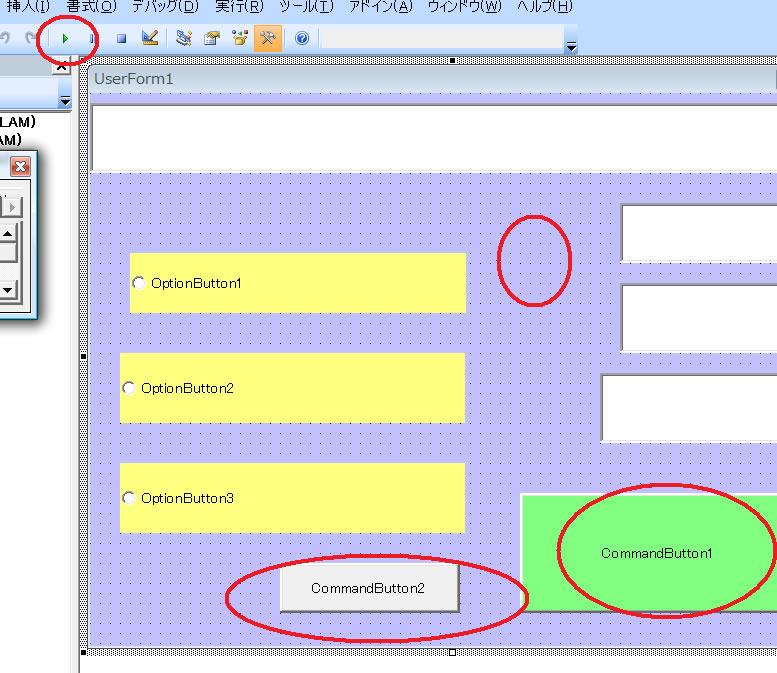
実行します 三角の実行ボタン
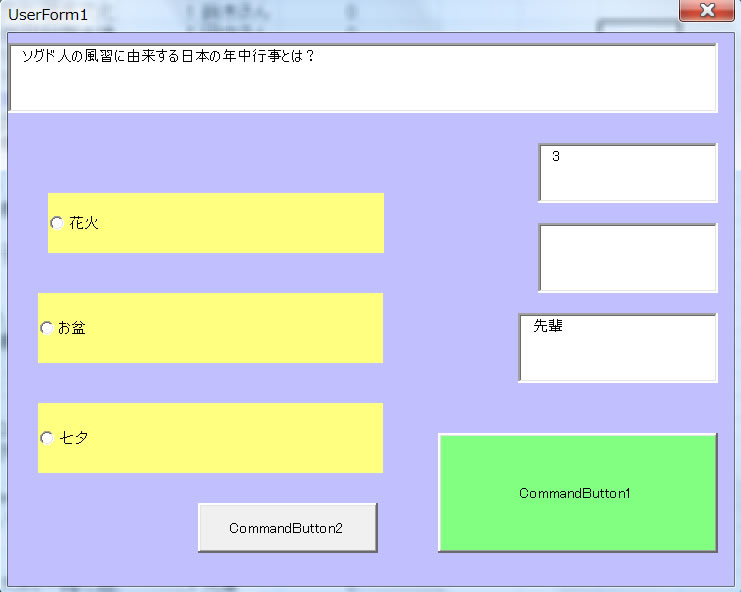
formをクリックして問題を出す
正解を選ぶ
コマンドボタン1を押して答えの確認
次に進む
formをクリックして問題を出す
ここでは 短いリストでおもしろいゲームができるように、またセルと連動して分かりやすいプログラムにしたつもりです。



