


Visual Studio 2008 Express Edition でトランプゲームを作ろう
2日目の学習
�ァ�1目の�い鯆�正します赤字
/// 必要なデザイナ変数です。
の下です
/// </summary>
System::ComponentModel::Container ^components;
void DispHai( int nohai,int xx){
Graphics^ gr=this->CreateGraphics();
int X0=10,Y0=1;
String^ filename;
filename="c:\\card\\1_sp.gif";
if(nohai==0 ) filename="c:\\card\\0_r1.gif" ;
//Pen^ pen1=gcnew Pen(col);
if(nohai>0 && nohai<14) filename="c:\\card\\"+nohai+"_sp.gif" ;
if(nohai>100 && nohai<114 ){nohai=nohai-100;
filename="c:\\card\\"+nohai+"_cl.gif" ;}
if(nohai>200 && nohai<214 ){nohai=nohai-200;
filename="c:\\card\\"+nohai+"_di.gif" ;}
if(nohai>300 && nohai<314){nohai=nohai-300;
filename="c:\\card\\"+nohai+"_he.gif" ;}
//原画像を左上に描画する
if(xx==1){
Bitmap^ bmap1; //bmap1の確保
bmap1=gcnew Bitmap(filename);
gr->DrawImage(bmap1,X0,Y0);
}
if(xx==2){
Bitmap^ bmap2; //bmap2の確保
bmap2=gcnew Bitmap(filename);
gr->DrawImage(bmap2,X0+100,Y0);
}
if(xx==3){
Bitmap^ bmap3; //bmap3の確保
bmap3=gcnew Bitmap(filename);
gr->DrawImage(bmap3,X0+200,Y0);
}
if(xx==4){
Bitmap^ bmap4; //bmap4の確保
bmap4=gcnew Bitmap(filename);
gr->DrawImage(bmap4,X0+300,Y0);
}
if(xx==5){
Bitmap^ bmap5; //bmap5の確保
bmap5=gcnew Bitmap(filename);
gr->DrawImage(bmap5,X0+400,Y0);
}
}
��Form1デザイン→ button1をダブルクリックして訂正 赤の部分を追加
private: System::Void button1_Click(System::Object^ sender, System::EventArgs^ e) {
DispHai( 0,1);
DispHai( 1,2);
DispHai( 111,3);
DispHai( 212,4);
DispHai( 313,5);
}
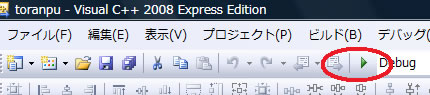
を押して実行してみる
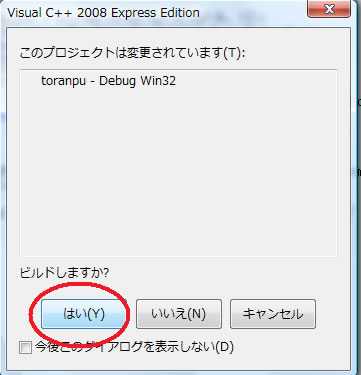
結果
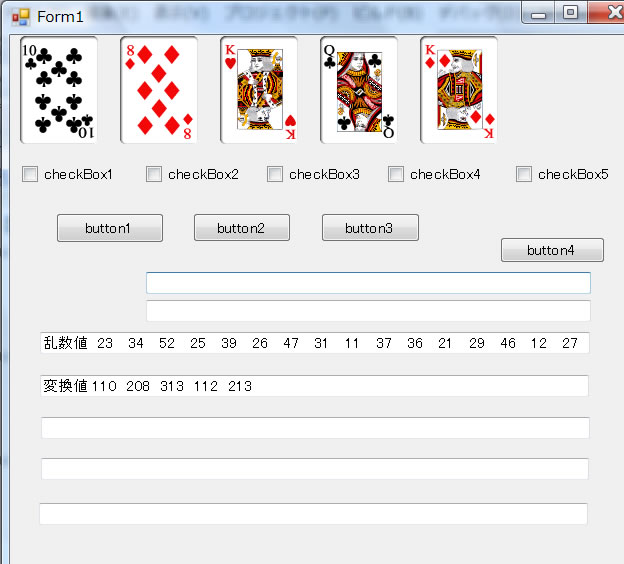
これが表示されれば成功です



